
AI Summary
An automated phone system answers incoming calls and routes them to the right person, department, or resource without a live receptionist picking up first.
It blends three overlapping technologies: an auto attendant that greets callers and offers menu options, interactive voice response (IVR) that lets callers self-serve through keypad or voice input, and automated call distribution that spreads calls across available agents by rules like skill or availability.
Businesses benefit when call volume outgrows the front desk, when after-hours coverage matters, or when consistent routing protects the revenue that missed calls quietly leak.
The catch is that the technology only delivers on that promise when it’s configured well and backed by real people. A badly built menu frustrates callers faster than no system at all.
Everyone has met the phone system that treats a simple question like a hostage negotiation.
Press 1, then 4, then 7, hold for the next available representative, get disconnected, call back, and start the whole ritual again.
Somewhere around the eighth menu option, most callers begin to suspect the “0” key was disconnected on purpose.
That reputation is well earned, and it’s also completely unfair to the technology itself.
An automated phone system is just a tool. Configured badly, it’s a corn maze with a phone number.
Configured well, it’s the quiet reason a caller reaches the right department in nine seconds instead of ninety, and never notices the machinery that made it happen.
The question worth asking isn’t whether automated phone systems are annoying. Plenty are. The question is whether the right one, built and supported properly, would actually help a specific business.
This post covers what these systems are, how they work, where the acronyms overlap, and the honest signs that a company has outgrown “Karen at the front desk grabbing every line.”
What Is an Automated Phone System?
An automated phone system answers incoming calls and directs them to the correct destination without a human operator picking up first.
It greets the caller, presents choices, and connects the call based on what the caller needs.
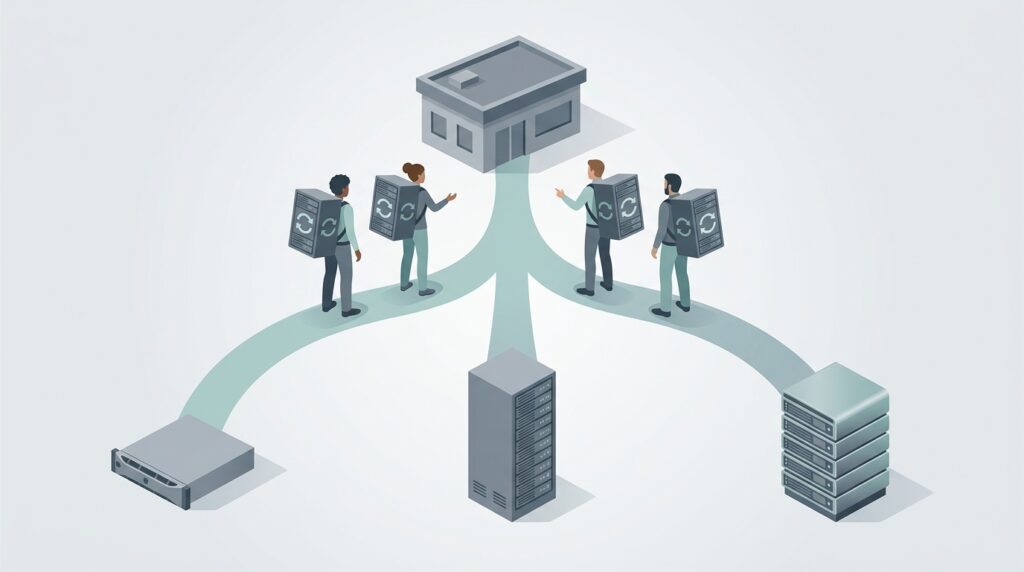
Think of it as a traffic cop for the phone lines: it doesn’t do the work at the destination, it just makes sure calls arrive at the right place instead of piling up at the front desk.
Most people encounter the automated phone system as its most visible feature, the recorded greeting that begins “Thank you for calling.”
Behind that greeting sits a routing engine that can send calls to extensions, departments, voicemail, mobile phones, or an entire queue of agents, all based on rules a business defines in advance.
The appeal is straightforward.
A machine doesn’t take a lunch break, doesn’t put the wrong caller through to accounting, and doesn’t call in sick because it’s opening day of deer season.
It answers on the first ring, every time, and delivers the same professional greeting whether the call lands at 9 a.m. or 2 in the morning. For a small business especially, that consistency is the difference between sounding established and sounding like one overwhelmed person juggling three lines.
None of that means the system replaces people.
It replaces the tedious, error-prone job of manually transferring every call, which frees the actual humans to do work that requires a human.
That distinction matters, and the businesses that get the most out of automation are the ones that understand it.
How Does an Automated Phone System Work?
Under the hood, the process is less mysterious than the hold music suggests.
A call comes in and hits the system’s greeting. The caller responds, usually by pressing a key, and the system follows a predefined decision tree to route the call.
The keypad presses travel as DTMF tones, the boops and beeps that carry the caller’s choice back to the system.
The system reads that input, checks it against the call flow a business configured, and connects the call accordingly. Press 1 for sales, and the call routes to the sales team.
Press 2 for support, and it lands in the support queue. There’s no interpretation and no attitude, just a machine doing exactly what it was told.
Modern automated phone systems run on cloud infrastructure rather than a beige box humming in a closet.
That shift matters more than it sounds. A cloud based system routes calls to office desk phones, mobile devices, and remote workers scattered across time zones, all from the same call flow.
A business with staff working from home, a branch office, and a lake house with decent Wi-Fi can route calls to all three without anyone knowing the difference.
Techmode covers that scenario in depth in its overview of cloud phone systems.
The smarter systems layer more on top. Time-based routing sends calls to different destinations depending on business hours.
Skills-based routing sends a billing question to the person who actually knows the billing platform.
Voice recognition lets callers speak their choice instead of hunting for the right key. The core mechanism stays the same, a greeting followed by a routing decision, but the intelligence behind that decision is where good systems separate themselves from the phone trees people love to hate.
Auto Attendant, IVR, and Automated Call Distribution: The Alphabet Soup Explained
The industry has never met an acronym it didn’t like, and three of them get thrown around as if they mean the same thing.
They don’t, quite, and the differences matter when a business is deciding what it actually needs.
An auto attendant is the greeter and the router. It answers, plays a menu, and sends the call where the caller points it.
It’s a fixed decision tree: caller picks a path, system follows it, done. Setup takes minutes, and for many small businesses the auto attendant alone solves the whole problem.
An automated answering system is the broad umbrella term for any system that picks up and handles calls without a live person.
Auto attendants fall under it. So do more advanced setups. When someone says “automated answering system,” they usually mean the general capability rather than a specific feature.
Interactive voice response, or IVR, is the auto attendant’s more capable relative.
Where an auto attendant simply routes, IVR interacts. It can pull data, look up an account balance, check an order status, and let callers self-serve without ever reaching a person.
IVR connects to databases and business software, which is why it takes longer to set up and why it does far more than press-one-for-sales.
Automated call distribution, or ACD, is the piece that manages what happens once a call is headed to a group rather than a single extension.
ACD spreads incoming calls across a team of available agents using rules a business sets: longest idle agent, most qualified agent, round-robin, or priority for certain callers.
It’s the difference between “the call rings the sales department” and “the call rings the sales rep who has been waiting longest and is best equipped to close it.”
For any business with call volume high enough to need a queue, automated call distribution is the feature that keeps calls from stacking up on one overloaded person while everyone else waits.
Side by side, the differences get clearer:
| Auto attendant | IVR | Automated call distribution | |
|---|---|---|---|
| What it does | Greets callers and routes them along a fixed menu | Lets callers self-serve by pulling live data | Distributes queued calls across available agents |
| Interaction | One way: caller picks a path, the system follows | Two way: the system responds to input and account data | Rules based: routes to the best or longest-idle agent |
| Data access | None | Connects to databases and business software | Uses agent status and routing rules |
| Setup effort | Minutes to hours | Days to weeks | Configured alongside the queue and its rules |
| Best for | Small teams that just need clean call routing | Businesses offering phone self-service | Teams with call volume high enough to need a queue |
Most real deployments blend all of these. A caller hears an auto attendant greeting, makes a choice through IVR, and gets placed into a queue managed by ACD.
The acronyms describe layers of the same journey, not competing products.
Why Automated Phone Systems Earned Their Terrible Reputation
Here’s the uncomfortable truth the industry rarely admits: automated phone systems didn’t ruin the customer experience. The people who configured them badly did.
The classic offenders are easy to spot. Menus nested so deep that callers need a compass and a snack.
The cheerful recording insisting “your call is important to us,” a phrase every caller has learned to translate as “important enough to record, not important enough to answer.”
The routing loop that dumps a caller back to the main menu after four minutes of waiting, like a video game with no save point.
And the special cruelty of a system with no path to a human, engineered by someone who apparently believed customers enjoy talking to a machine indefinitely.
None of that is the technology’s fault. Those are configuration choices, usually made by a vendor who set the system up, collected payment, and vanished.
The menus stayed broken because nobody was around to fix them, and “nobody was around to fix them” is the actual disease. The bad menu is just the symptom.
A well-built automated phone system does the opposite of everything above. It keeps menus shallow, offers a human option early and often, and routes callers to the right place on the first try.
Callers barely notice it, which is exactly the point. The best one is the system nobody complains about, because it did its job and got out of the way.
The lesson for any business shopping for one is simple. The software matters less than who configures it and who sticks around to adjust it when the call flow needs to change.
A great platform with no support becomes a bad phone tree the moment the business grows and nobody updates the menu.
Signs a Business Would Actually Benefit From One
Not every business needs an automated phone system. A two-person shop where both people answer the phone probably doesn’t.
But several patterns signal that a company has outgrown manual call handling, and ignoring them costs real money. The clearest signs:
- Calls get missed. When calls go unanswered because everyone’s already on the line or away from the desk, revenue walks out the door quietly. Callers rarely leave voicemail anymore. They call the next business on the list, and proper routing with after-hours handling catches the calls that would otherwise vanish.
- The front desk is drowning in transfers. When one person spends half the day saying “let me transfer you” and fumbling the handoff, that’s a job a machine does perfectly and instantly. Freeing that person to do real work usually pays for the system several times over.
- The team is spread across locations or working remotely. People in multiple offices, at home, or covering different time zones need calls routed intelligently, not funneled through one physical phone at one physical desk. Routing to mobile and remote teams is exactly the problem cloud based systems were built to solve.
- The greeting depends on who grabs the line. When professionalism rises and falls with whoever answers and what kind of morning they’re having, the brand suffers. For a small business, an automated phone system is one of the cheapest ways to sound established on every call, and Techmode’s transparent pricing lays the cost out plainly instead of burying it.
- Call volume spikes unpredictably. Busy seasons, marketing campaigns, or the occasional viral moment need a system that queues and distributes calls instead of collapsing under the surge. Automated call distribution turns a chaotic flood into an orderly line.
If two or three of those describe a business, the math usually favors automation. The cost of the system is almost always smaller than the cost of the calls being lost without it.
What Separates a Phone System Worth Having From a Phone Jail
The gap between a great automated phone system and a caller’s worst nightmare comes down to the setup discipline in the checklist below, plus a couple of things no menu design can fix on its own.
The newer systems add capabilities that would have looked like science fiction not long ago.
AI powered features can transcribe calls automatically, analyze caller sentiment to flag frustrated customers before they churn, and surface insights from conversations that used to disappear the moment the call ended.
Techmode’s hosted platform bundles AI transcription and sentiment analysis, and lets the business choose which engine handles it, including a private, SOC 2 compliant and HIPAA compliant transcription server for organizations that can’t send call data to a public AI service.
That last option matters a great deal in healthcare, finance, and law, where a transcription tool is only useful if it’s also compliant.
Reliability underpins all of it. A phone system that drops calls or goes dark during an outage is worse than useless, because customers remember the business that couldn’t answer the phone.
This is also where the network doing the heavy lifting deserves attention. Businesses can pressure test their own connection with a VoIP speed test before assuming the phones are the problem.
And finally, the feature nobody lists on a spec sheet: someone who answers when the system needs adjusting.
The best call flow in the world drifts out of date the moment a business reorganizes, adds a department, or changes hours. Without support, it slowly rots into the very phone tree everyone hates.
How to Set Up an Automated Phone System: The Checklist
Setting one up well is mostly about discipline, not budget. A cheap system configured carefully beats an expensive one thrown together in an afternoon.
Here is the checklist worth running through before any automated phone system goes live:
- Map the call flow before touching the system. Decide which calls should reach which people first, on paper. The menu should mirror how the business actually works, not the other way around.
- Keep the menu shallow. Aim for any caller reaching their destination in two or three choices. If a fourth level is needed, the structure is wrong.
- Write short, professional greetings. Warm, specific, and brief. Nobody has ever wished a phone greeting were longer.
- Offer a path to a human up front. Announce the operator option early, not after the caller has visibly aged waiting for it.
- Set separate business-hours and after-hours routing. A call at 2 a.m. should reach voicemail, an on-call line, or a clear message, never a phone ringing in an empty office.
- Route by skill, not just by department. Send the billing question to whoever actually understands billing, so the caller gets an answer instead of a second transfer.
- Add automated call distribution to any queue. When calls to a group can pile up, distribute them fairly across available agents instead of pummeling whoever answered last.
- Test every single path before go-live. Call in and press every option. The one path nobody checks is the one that dead-ends into silence.
- Assign someone to own and maintain it. Decide who updates the menu when hours, staff, or departments change. A system nobody maintains is a phone jail with no release date.
Run all nine and the result is a system callers barely notice, which, as established, is the entire goal. Skip a few and the odds of building the next phone tree people complain about go up considerably.
The Techmode Difference
Every problem above traces back to the same root cause: a vendor who sold a system and disappeared.
Techmode was built to be the opposite of that vendor. Every TechmodeGO deployment runs on private, per-client AWS infrastructure with Google Cloud backup and a 99.999% uptime SLA, not a shared, multitenant platform where one company’s bad day becomes everyone’s outage.
The real difference shows up after the sale.
Premier Launch means clients get a dedicated project manager and an experienced install team that runs the entire checklist above, designing and testing the call flow before go-live, so the menus make sense on day one instead of frustrating callers for months.
That’s white-glove installation, and it’s the step most vendors skip.
Then comes Concierge support, a U.S.-based team available 24/7 with no offshore tier and no ticket queue that swallows requests whole. Here is the part that answers every phone-jail horror story in this post: changes after installation are included at no charge.
When the call flow needs to change, a business adds a department, or holiday hours shift, a real person who knows the client’s system makes the update, free, as part of the service.
And it goes well beyond edits. A business that wants advice on how to structure its menus, tighten its routing, or design cleaner call flows gets that consulting from the same U.S.-based Concierge staff at no extra cost.
Nobody hits a paywall for asking how to run their phone system better. That’s what a lifetime configuration guarantee looks like in practice, and it’s why Techmode holds an NPS of 85.7 from 948 post-support surveys against an industry benchmark near 31, backed by an A+ BBB rating and more than 20 years in business communications.
As a CLEC and carrier of record, Techmode owns the platform, the lines, and the outcome, which means one company is accountable when it matters instead of three pointing fingers at each other.
An automated phone system is only as good as the people standing behind it. Techmode makes sure someone always is.
Businesses weighing whether the right automated phone system would pay off can start with a straightforward look at Techmode’s hosted 3CX phone system and see the difference honest routing and real support actually make.
Frequently Asked Questions
What is an automated phone system?
An automated phone system answers incoming calls and routes them to the right person, department, or resource without a live receptionist picking up first. It greets the caller, presents menu options, and connects the call based on the caller’s choice.
The term covers auto attendants, interactive voice response, and automated call distribution, which are layers of the same call journey rather than competing products.
How does an automated phone system work?
A call comes in and hits a recorded greeting, the caller responds by pressing a key or speaking, and the system follows a predefined call flow to route the call to the correct destination.
Keypad presses travel as DTMF tones that the system reads against the rules a business configured. Modern cloud based systems can route those calls to desk phones, mobile devices, and remote workers from the same call flow.
What is the difference between an auto attendant, IVR, and automated call distribution?
An auto attendant greets callers and routes them along a fixed menu, making it the simplest option. Interactive voice response goes further by letting callers self-serve and pull data like account balances or order status.
Automated call distribution manages calls headed to a group, spreading them across available agents by rules such as skill, availability, or priority. Most real deployments blend all three.
Would a small business benefit from an automated phone system?
A small business benefits most when calls get missed, when one person is drowning in manual transfers, or when the greeting changes depending on who grabs the line.
An automated phone system delivers a consistent, professional first impression on every call and catches revenue that missed calls would otherwise leak. The cost of the system is almost always smaller than the cost of the calls lost without it.
Why do so many automated phone systems frustrate callers?
The technology rarely causes the frustration. Bad configuration does, usually from a vendor who set the system up, collected payment, and left no one to maintain it. Menus nested too deep, no clear path to a human, and routing loops that dump callers back to the start are all configuration choices. A well-built system with ongoing support keeps menus shallow, offers a human option early, and routes callers correctly on the first try.