AI Summary
An auto dialer is software that automatically calls numbers from a contact list and connects answered calls to an agent or a recorded message, so teams spend their time talking instead of dialing. The main types are predictive, power, progressive, preview and parallel dialers, plus voice broadcasting. The right one depends on team size, call volume and TCPA compliance needs.
Somewhere right now, a sales rep is dialing a number by hand, listening to it ring six times, sitting through a voicemail greeting that starts with “Hey, it’s Brad, you know what to do,” and then hanging up to do it all again. Forty times before lunch. That rep isn’t selling. That rep is a very expensive finger.
Auto dialers exist to fix exactly that. They take the dialing, the ringing and the voicemail roulette off the rep’s plate so the hours in a shift go toward actual conversations. The catch is that “auto dialer” covers half a dozen very different tools, from gentle click to call setups to predictive engines that dial so aggressively they occasionally leave the person who answered talking to nobody. And federal regulators have opinions about all of it.
This guide covers how auto dialer systems work, the types of dialers, the pros and cons, the TCPA rules that keep campaigns out of court, and how to choose auto dialer software that won’t get every number labeled “Spam Likely” by Thursday. Businesses already weighing options can also talk to Techmode about which setup fits their call volume.
Short on time? Watch What is an auto dialer?, episode 27 of Telecom in under two minutes, for the whole breakdown in under two minutes.
What is an auto dialer?
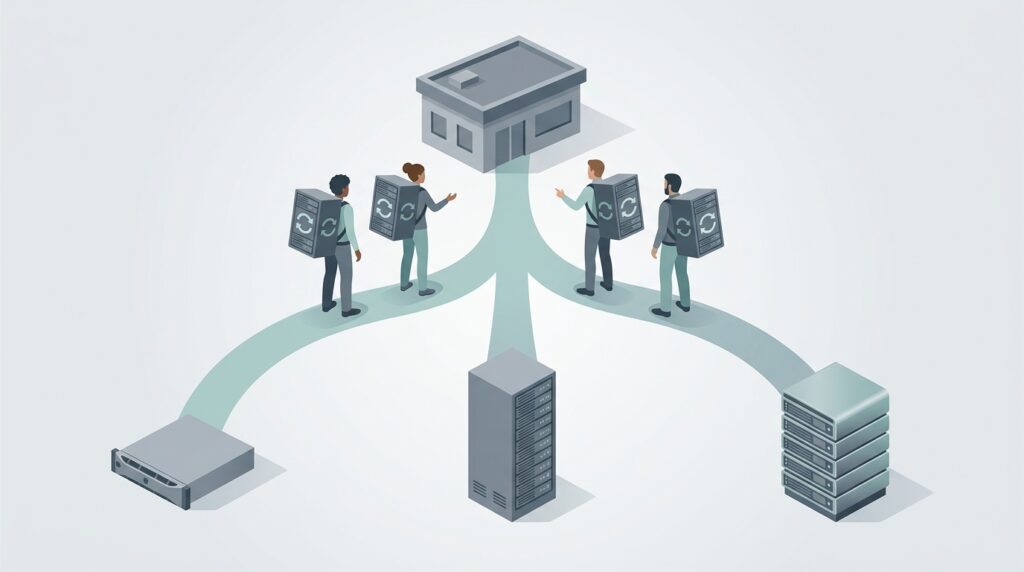
An auto dialer, also written autodialer or automatic dialer, is a system that dials phone numbers from a list without a person keying them in. When a call connects, the dialer either hands it to a live agent or plays a recorded message.
When a call fails (busy signal, no answer, disconnected number, voicemail), the dialer logs the result and moves on without complaint, which is more than can be said for most reps on hour three of a calling block.
The goal is simple: more conversations per hour. A rep dialing by hand burns a big chunk of every shift on things that aren’t selling or serving: finding the next number, dialing, waiting through rings, listening to greetings and typing notes about calls that never connected.
An auto dialer removes most of that dead time.
Auto dialers handle outbound sales, reminders, collections, surveys and renewals.
A small insurance agency in Grand Rapids calling its renewal list and a 200 seat collections center in Columbus use the same basic technology.
What changes is the type of dialer and how hard it pushes the pace.
How does an auto dialer work?
Every auto dialer system follows the same basic loop:
- A contact list gets loaded. Numbers come from a CRM, a spreadsheet or a lead source. Good systems scrub the list against the National Do Not Call Registry and the company’s internal do not call list before a single call goes out.
- The dialer places calls. Depending on the type, it dials one number at a time or several at once, and it decides when to dial next based on agent availability.
- Call progress detection sorts the results. The system listens for busy signals, fax tones, disconnected number messages and answering machines. Answering machine detection (AMD) tries to tell a live “hello” from a voicemail greeting. It’s good, not psychic.
- Live answers route to an agent or a message. A connected call goes to an available rep, usually with the contact’s record popping up on screen. In agentless campaigns, the system plays a recorded or AI generated message instead.
- Results write back. Outcomes, notes, call recordings and dispositions flow into the CRM so the next attempt gets scheduled correctly.
Modern dialers run in the cloud or connect to a business phone system over VoIP, which is why “VoIP dialer” and “cloud dialer” usually describe the same thing.
A VoIP dialer needs no special hardware at each desk. Reps work from a desk phone, a softphone or a mobile app.
Types of auto dialers
“Auto dialer” is an umbrella term, and vendors love to blur the lines between the types underneath it.
The real differences come down to two questions: how many numbers get dialed per agent, and whether a human looks at the record before the call goes out.
What is a predictive dialer?
A predictive dialer calls several numbers at once for each available agent, using an algorithm that predicts how many calls will be answered and when each agent will wrap up the current conversation. If the math says three out of ten calls will connect, it dials enough numbers to keep every agent busy.
This is what “predictive dialing” means: the system bets on the odds so agents never sit idle.
In practice, it watches answer rates and call lengths in real time and adjusts its pace to match.
Predictive dialing produces the most talk time per hour of any dialer type, which is why it’s the standard call center dialer for large outbound teams.
The tradeoff is abandoned calls. When more people answer than there are agents free, someone picks up and hears silence, followed by a click.
Everyone has received one of these calls. Nobody has ever thought, “What a delightful company.”
Federal telemarketing rules cap how often it can happen (covered in the TCPA section below).
Best fit: call centers with roughly 10 or more agents working large lists where speed matters more than personalization.
What is a power dialer?
A power dialer dials the next number on the list the instant an agent finishes a call. Some power dialers place a fixed number of calls per agent (say, two or three lines at once) rather than using a predictive algorithm, but the core idea is the same: the agent never waits on manual dialing.
Power dialers keep reps moving without the high abandonment risk of predictive dialing, and they’re a favorite sales dialer for small and midsize teams.
Because the pace follows agent availability rather than a forecast, a power dialer also works for a team of one or two reps, where a predictive algorithm simply doesn’t have enough data to guess well.
Best fit: inside sales teams, small call centers and individual reps working a steady list.
Power dialer vs predictive dialer
| Power dialer | Predictive dialer | |
|---|---|---|
| How it paces calls | Next call starts when an agent is free (or a fixed lines per agent ratio) | Algorithm dials several numbers per agent based on predicted answers |
| Team size | One rep to a midsize team | Usually 10 or more agents |
| Abandoned calls | Low | Higher; must be managed under federal limits |
| Talk time per hour | High | Highest |
| Customer experience | Agent is ready when the call connects | Occasional delay or dropped call on answer |
| Typical use | Sales, renewals, follow ups | High volume collections, surveys, lead lists |
What is a progressive dialer?
A progressive dialer places exactly one call per available agent and only dials when that agent is ready. It’s the most conservative automated option: no prediction, no overdialing, almost no abandoned calls.
It’s slower than a predictive dialer but guarantees a live person is on the line the moment someone answers.
Fair warning: vendors use “progressive” and “power” interchangeably, sometimes in the same brochure.
It’s worth asking each one exactly how its pacing works before signing anything.
Best fit: teams calling existing customers or high value prospects where a dropped call is unacceptable.
What is a preview dialer?
A preview dialer shows the agent the contact record first (account history, notes, open tickets, prior calls) and lets the agent decide when to place the call or skip it.
Some preview dialers dial automatically after a short countdown.
Preview dialing is the slowest automated type, but it produces the best prepared conversations.
Nobody opens with “So, how’s that thing going?” when the record says the thing got canceled last week.
It suits complex B2B sales, account management and collections where context matters before saying hello.
Best fit: account managers, B2B sales and any call where preparation matters more than volume.
What is a parallel dialer?
A parallel dialer, sometimes called a multi line dialer, lets a single rep dial several numbers at the same time, typically three to ten lines.
The first person who answers gets connected and the other calls drop. Parallel dialers caught on with sales development reps doing cold outreach because they deliver predictive style speed to one person without needing a full call center.
The same abandonment concern applies.
When two people answer at once, one of them gets a very short and very confusing phone call.
Best fit: individual sales reps doing high volume prospecting.
What is a robo dialer (voice broadcasting)?
Voice broadcasting, often called a robo dialer, places calls and plays a recorded or AI generated message with no live agent involved.
It’s used for appointment reminders, school closings, emergency notifications, payment reminders and event announcements.
Many systems let the listener press a key to reach a live person or to opt out.
These are the most heavily regulated calls under federal law, because prerecorded and artificial voice calls require prior consent in most cases.
That now includes AI generated voices. A very convincing robot is still a robot as far as the TCPA is concerned.
What is local presence dialing?
Local presence is a feature rather than a dialer type.
The system displays an outbound caller ID with the same area code as the person being called, on the theory that people answer local numbers more often.
A Michigan company calling into Ohio would show a 614 or 216 number, for example.
Local presence only helps if those numbers are properly registered and signed (see the caller ID section below).
Rotating through dozens of unregistered numbers to dodge spam labels is the telecom equivalent of wearing a fake mustache. Carrier analytics usually see right through it, and labeling tends to get worse.
Pros of auto dialers
- More conversations per hour. Eliminating manual dialing, ring time and voicemail greetings is the core benefit. The rep’s time goes to talking, which is the only part of the job that produces revenue.
- Consistent follow up. The dialer works the whole list, schedules callbacks and retries unanswered numbers at set intervals. Leads stop falling through the cracks (or into the “I’ll call them Monday” pile that never gets called).
- Better data. Every attempt, outcome and recording is logged automatically, which gives managers real numbers on contact rates, conversion and agent productivity.
- Scheduling and time zone control. Good dialers only call each contact during permitted local hours and can prioritize the times people actually pick up.
- Agentless notifications. Voice broadcasting handles reminders and alerts that would otherwise tie up staff.
Cons of auto dialers
- Legal exposure. The TCPA allows private lawsuits with statutory damages for every violating call, and class actions over dialer campaigns are common. A badly configured campaign can cost far more than it ever earns.
- Abandoned and silent calls. Predictive and parallel dialers inevitably drop some answered calls. People who pick up to silence are less likely to answer next time and more likely to complain.
- Spam labeling. High volume outbound calling is exactly the pattern carrier analytics engines hunt for. Dialer numbers are more likely to show up as “Spam Likely” or “Scam Likely,” which flattens answer rates fast.
- The robotic pause. That half second of dead air after “hello” is a dead giveaway. Customers know it, and plenty of them hang up before an agent says a word.
- Setup and list hygiene take work. A dialer is only as good as its list. Bad numbers, missing consent records and stale CRM data all cause problems, and a dialer just helps create those problems faster.
Auto dialers and the TCPA
The Telephone Consumer Protection Act is the main federal law covering auto dialers.
Any business running outbound campaigns should review the rules with counsel before launching, because the stakes are high and the rules don’t sit still for long. The essentials:
- The legal definition is narrower than the marketing term. The TCPA restricts calls made with an “automatic telephone dialing system.” In Facebook v. Duguid, the Supreme Court read that definition narrowly, limiting it to equipment that uses a random or sequential number generator. Many modern list based dialers fall outside that definition, but that’s not a blank check. Plenty of other rules still apply.
- Prerecorded and artificial voice calls need consent. Regardless of how a call gets dialed, calls to cell phones using a prerecorded or artificial voice require prior express consent, and telemarketing calls with a prerecorded or artificial voice require prior express written consent. AI generated voices count as artificial.
- Do not call lists apply. Telemarketing calls can’t go to numbers on the National Do Not Call Registry without an established business relationship or written permission, and businesses must keep and honor their own internal do not call list.
- Abandoned call limits. Federal telemarketing rules limit abandoned calls to 3% of answered calls per campaign over a 30 day period and require that a live person (or a message with opt out instructions) come on the line within two seconds of the greeting.
- Calling hours. Telemarketing calls are limited to 8 a.m. to 9 p.m. in the called party’s local time. Calling Detroit at 7 a.m. because the dialer is set to Eastern and the list is in Eastern does not count as a loophole; it just counts as early.
- Consent revocation. People can revoke consent to autodialed and prerecorded calls and texts through reasonable means, and the FCC has recently revised how those requests must be handled and how quickly. These rules are still shifting.
- State laws add more. Several states have their own “mini TCPA” laws with stricter consent, time of day and call frequency limits.
Call recording on dialer campaigns adds another layer, because consent to record varies by state. Techmode covers the details in its guide to call recording laws by state.
This section is general information, not legal advice.
Caller ID, STIR/SHAKEN and spam labels
The biggest practical threat to a dialer campaign usually isn’t a lawsuit.
It’s the “Spam Likely” label. Carriers use analytics to flag numbers that place lots of short calls with low answer rates, which describes most dialer traffic on a good day.
Three things protect answer rates:
- Signed caller ID. Under the STIR/SHAKEN framework, the originating carrier digitally signs each call with an attestation level. A-level attestation tells the receiving carrier that the provider knows the customer and the customer has the right to use that number. Calls with weaker attestation are more likely to be labeled or blocked.
- Registered numbers. Outbound numbers should be registered with the major analytics providers and the free caller registry so they’re tied to a real business.
- Sane calling patterns. Reasonable pacing, clean lists and not cycling through dozens of throwaway numbers keep a number’s reputation healthy. If a number does get flagged, remediation runs through the analytics providers and the carrier.
How much does auto dialer software cost?
Auto dialer software is almost always priced per user (seat) per month, plus calling usage. On Capterra’s auto dialer software listings, per user starting prices for basic tools run from under $10 to around $79 a month, while full featured sales dialers such as PhoneBurner list starting prices around $165 a month.
Predictive platforms with compliance tools, AMD and analytics usually sit at the higher end.
The license is rarely the whole bill. Watch for per minute charges, number and registration fees, CRM integration fees and the taxes and recovery fees on the phone service underneath it all.
A fully loaded quote is the only honest way to compare providers; Techmode explains why in its guide to hidden taxes and fees on UCaaS quotes.
How to choose auto dialer software
The right auto dialer software depends on the use case far more than the feature list.
A 40 tab comparison spreadsheet won’t help if the team size and call type point to a different kind of dialer altogether.
- One to five sales reps prospecting: a power dialer or parallel dialer tied to the CRM. Predictive algorithms need more agents to work well.
- Account management and complex B2B sales: a preview or progressive dialer. Preparation beats speed.
- Call center with 10 or more agents on large lists: a predictive call center dialer with strong abandonment controls and reporting.
- Reminders, alerts and notifications: voice broadcasting with clear consent records and an opt out path.
- Teams just starting to automate: click to call through the existing phone system and CRM (a rep clicks a number and the system dials it), then step up to a full outbound dialer as volume grows.
Questions to ask any auto dialer software vendor:
- Which dialing modes are included, and how exactly does each one pace calls?
- How does it handle DNC scrubbing, calling hours by time zone and abandonment tracking?
- Does it integrate with the CRM already in use, and does call data write back automatically?
- What attestation level do outbound calls receive, and how are numbers registered?
- Does it run on the existing business phone system, or is it a separate phone system with separate numbers and bills?
That fifth question matters more than most buyers expect.
A standalone sales dialer often means a second phone system: separate numbers, a separate carrier, separate support and a separate bill.
Two phone systems is rarely anyone’s goal. It just tends to happen when the dialer gets bought first and the questions get asked later.
How Techmode handles it
Dropped calls, spam labels and a dialer living on its own island all come down to how the dialer is built and what it runs on.
Techmode has built auto dialers for clients and offers multiple options depending on the use case.
Because TechmodeGO runs on 3CX, simple dialing workflows such as reminder calls, callback lists and basic outbound campaigns can be built directly in the 3CX Call Flow Designer. For teams that need full predictive, power or campaign management features, Techmode connects add on dialer platforms to 3CX, so reps keep the same phone system, numbers and apps they already use.
Every option comes with the same foundation:
- A-level STIR/SHAKEN attestation. As a CLEC and carrier of record, Techmode signs all outbound numbers with A-level attestation, which gives dialer traffic the strongest caller ID standing available.
- One platform, not two. The dialer works with the same cloud phone system that handles inbound calls, queues, call recording and mobile apps. Every client runs on private AWS instances with triple redundancy and a 99.999% uptime SLA, not a shared platform where one tenant’s bad day becomes everyone’s.
- Recording and AI transcription. Calls can be recorded and transcribed, with sentiment analysis, through the 3CX AI bundle. Clients choose the engine: ChatGPT, Grok, their own self hosted engine or Techmode’s SOC 2 and HIPAA compliant private transcription server. The AI phone system page covers the privacy options in detail.
- White glove installation. Premier Launch assigns a dedicated project manager and install team who build and test the dialer workflow before go live, so the first campaign isn’t also the first test.
- Concierge after the sale. Adjusting a campaign flow, adding a list or changing routing is a call to the U.S. based 24/7 Concierge team (no offshore tier, ever), backed by the lifetime configuration guarantee. That approach is why Techmode holds an NPS of 85.7 from over 1,000 post support customer surveys, against an industry benchmark of roughly 31.
The right dialer depends on team size, call volume and compliance needs. Contact Techmode to talk through the use case and the options that fit it.
Frequently asked questions
What is an auto dialer?
An auto dialer is software that automatically places outbound calls from a contact list and connects answered calls to a live agent or a recorded message. It removes manual dialing, ring time and voicemail greetings so sales and service teams spend more of their time in actual conversations.
What is the difference between a power dialer and a predictive dialer?
A power dialer dials the next number as soon as an agent finishes a call, or dials a fixed number of lines per agent. A predictive dialer uses an algorithm to dial several numbers per agent based on expected answer rates. Predictive dialers produce more talk time but drop more answered calls, so they suit larger call centers, while power dialers suit smaller sales teams.
Are auto dialers legal?
Auto dialers are legal in the United States, but their use is regulated by the Telephone Consumer Protection Act, the Telemarketing Sales Rule and state laws. Businesses need proper consent for prerecorded, artificial voice and many autodialed calls, must honor do not call lists and calling hours, and must keep abandoned calls under federal limits. Rules change often, so campaigns should be reviewed with counsel.
How much does an auto dialer cost?
Auto dialers are usually priced per user per month plus calling usage. Basic tools can start under $10 per user per month, while full featured sales and predictive dialers commonly run $79 to $165 or more per month. Number fees, integrations, taxes and recovery fees add to the total, so buyers should ask every provider for a fully loaded quote before comparing prices.
Can an auto dialer work with an existing business phone system?
Yes. Many auto dialers connect to an existing VoIP or cloud phone system, so reps keep the same numbers, phones and apps. On a 3CX based system such as TechmodeGO, simple dialing workflows can be built in the Call Flow Designer, and full featured add on dialers can connect for predictive, power and campaign management features.