Quick Answer — AI Overview
What should a school look for in a phone system? A school phone system needs three things most providers treat as afterthoughts: intelligent front-office routing, so the one human answering the main line is not personally triaging every parent, vendor, and emergency at once; dispatchable 911 that pinpoints the building and room a call came from, not just the district street address; and overhead paging and intercom integration, so an announcement or a lockdown reaches every classroom from the same system that handles calls.
With TechmodeGO, auto-attendant, call queues, multi-building routing, and paging integration are included as standard, and emergency calls carry a precise dispatchable location. The result is a front office that stays calm on the ordinary days and moves fast on the day that counts.
7:42 a.m.: Before the Bell, One Line, Everything at Once
Picture a K-8 school with about 600 students and four buildings that were added one grant at a time over thirty years.
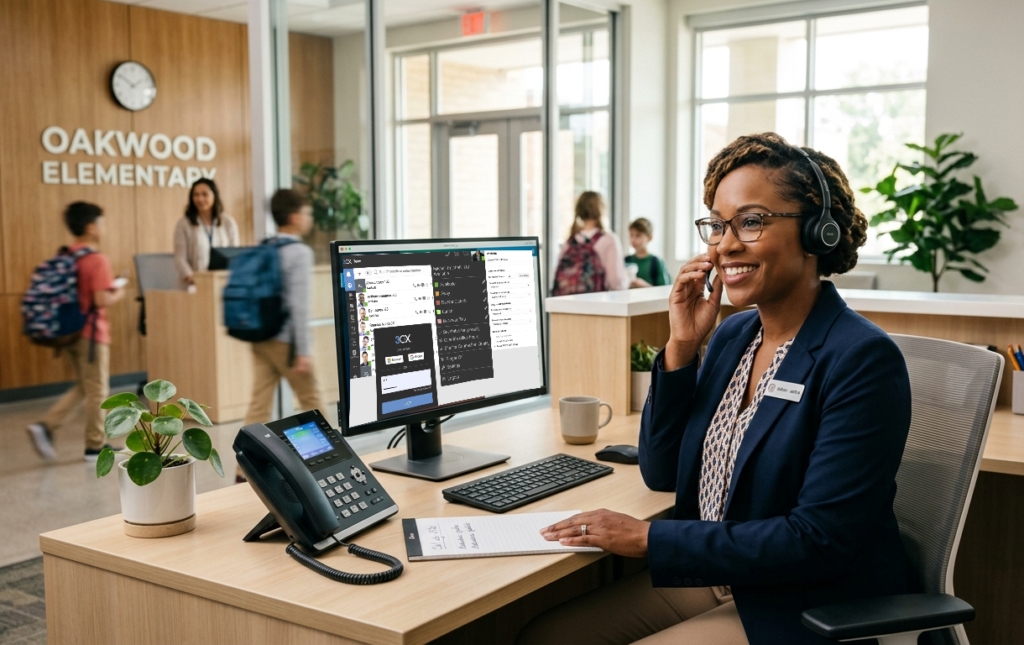
One very capable front-office secretary named Denise runs the main office. She has been there eleven years and knows most parents by their voice before they finish saying hello.
It is a Tuesday, eighteen minutes before the first bell.
The absence line is ringing. So is the main line. A parent is on hold to report a custody pickup change, a bus is running late and three families want to know where it is, a textbook vendor is trying to reach the principal, and a grandparent has dialed the general number to ask about the book fair.
Denise has exactly one set of hands and one phone that treats all of it as the same undifferentiated pile.
Here is the uncomfortable part about most school phone systems: they were designed for a single building with a single office, and the school quietly outgrew that shape years ago.
The system has no way to tell whether the next ringing line is a book-fair question or a parent who cannot find their kindergartner. It dumps everything into one queue and assumes Denise will sort it out, because Denise always has. That works right up until the morning it doesn’t.
Curious how a modern setup handles the 7:42 rush? Schedule a free consultation with Techmode and skip to the part where the phones just work.
The Quiet Cost of a Front Office That Is Also the Switchboard
Schools rarely think of the phone as a risk. It is furniture. It has been on the counter forever. That is exactly why the costs of an outgrown system stay invisible until something forces them into daylight.
The costs stack up quietly:
- Parent calls that never get returned. A voicemail box nobody officially owns is a voicemail box nobody empties. The parent who could not get through does not file a complaint. They just decide, a little more each week, that the school is hard to reach.
- A 911 call the address cannot locate. When a staff member dials 911 from a district with one billing address across four buildings, responders can arrive at the property and still not know which building, floor, or room to run to. In an emergency, minutes spent finding the right door are the only minutes that matter.
- Announcements that live in a separate box on the wall. If the overhead paging system and the phone system are two unrelated pieces of equipment, a lockdown or a weather announcement depends on someone being physically near the right microphone. Safety should not hinge on geography.
- Calls that bounce between buildings. A parent reaches the main office, needs the annex, and gets read a different ten-digit number to hang up and dial. Half of them never make the second call.
- The snow-day scramble. When school closes at 5:30 a.m., the people who need to make and route calls are at home, and a building-bound phone system is effectively offline for the exact event it most needed to handle.
None of this is the front office’s fault. It is a tooling problem wearing a people-problem costume. And most of it is the kind of thing a phone system should simply handle on its own.
10:15 a.m.: Run the Same Morning Through a System That Triages First
Rewind to that 7:42 rush, but route it through a school using TechmodeGO instead.
The front desk stops being the routing layer. The auto-attendant and call queues do the first pass of what kind of call is this and where should it go before Denise ever picks up.
The absence line becomes its own path that captures the report cleanly. Parent calls for a specific building route to that building.
The vendor trying to reach the principal lands in a queue instead of on a sticky note. Denise stops being a switchboard and goes back to being what a front office actually is: the first human a parent reaches after the system has already pointed them the right way.
That single architectural change is the thing that gives the office its morning back.
And because the routing is one system across all four buildings, a call that needs the annex gets transferred inside the same system, not handed a new phone number like a consolation prize.
What “included” actually means here
This is the part that tends to surprise schools pricing a new system. With many providers, the features a school actually needs show up as premium tiers and professional-services line items, and the real number lands nothing like the quote.
TechmodeGO takes the opposite approach. Here is what comes standard versus what is a genuine add-on:
| Capability | TechmodeGO |
|---|---|
| Auto-attendant and call queues (front-office triage) | Included, standard |
| Multi-building / multi-campus routing | Included, standard |
| Dispatchable 911 location (building and room) | Included, standard |
| Overhead paging, bell, and intercom integration (works with existing equipment) | Supported, standard |
| Mobile app / softphone | Included, standard |
| Business texting (SMS/MMS) for parent messaging | Available, defined monthly volume |
| Call recording (logged and retrievable) | Included, standard |
| Message logging for administrator review | Included, standard |
| Capital-purchase or operating-subscription model | Available, either way |
| AI-generated call summaries / transcription | Optional add-on |
The school gets the calm-front-office setup without the invoice surprise that usually rides along with it. For why those surprises happen in the first place, Techmode’s breakdown of why VoIP bills come in higher than the quote is worth reading before signing anything with anyone.
12:30 p.m.: The Two Minutes the Whole System Exists For
Every scene so far has been about ordinary friction. This one is about the reason a school phone system is worth taking seriously at all.
A student goes down in the gym. A coach grabs the nearest handset and dials 911. On an outgrown system, the call leaves the building carrying the district’s single billing address, and the dispatcher sees a street number that could mean any of four buildings spread across a campus. On a system built for the job, that same call carries a dispatchable location: this building, this floor, this room. Responders do not arrive and then start looking. They arrive already knowing where to go.
At the same moment, the front office needs to reach every classroom at once. Because TechmodeGO integrates with the school’s overhead paging and intercom, a lockdown or an all-clear goes out from the same system that runs the phones, initiated by whoever is nearest a phone rather than whoever happens to be standing next to a specific microphone in a specific hallway. The announcement, the emergency call, and the routing all live in one place, which is the only arrangement that holds up when two minutes actually count.
This is where the difference between a phone system and a school phone system stops being a marketing distinction and becomes a very literal one. For the broader picture of why emergency location rules exist and who they apply to, Techmode’s E911 compliance guide covers the unglamorous details every school administrator eventually needs to know.
But Will It Work With the Paging We Already Have?
It is the first question most schools ask, and a fair one. The overhead paging, the bell schedule, and the classroom intercom have usually been bolted to the walls for a decade or three. They work. Nobody wants to hear that a new phone system means tearing all of it out and starting over. The good news is that it usually does not.
A modern school phone system connects to existing paging, bell, and intercom equipment rather than replacing it. TechmodeGO integrates with the school’s current overhead paging through standard SIP paging endpoints and analog paging gateways, the small adapters that let an IP phone system speak to legacy analog speakers and zones. That means the paging horns in the gym, the classroom call buttons, and the bells that run the day keep doing their jobs, now driven from the same platform that handles calls. The phones get modern. The equipment in the ceiling stays put.
The payoff is two things schools tend to care about in the same breath: capability and cost. Capability, because paging, bells, emergency announcements, and calling finally live in one system instead of three that were never formally introduced to each other. Cost, because keeping the existing paging hardware makes the project an upgrade to the phones rather than a rip-and-replace of every speaker in every building. Techmode maps the existing paging and bell setup during Premier Launch and tests every zone before go-live, so nobody discovers during the first fire drill that zone four was never actually connected.
The Record a School Occasionally Has to Go Back To
Most calls a school makes are ordinary and forgotten by lunch. Then there is the one that matters six weeks later. A parent insists the office promised something it did not. An incident needs a factual review. An HR question turns on what a staff member actually said to a family. A public-records request lands and the answer lives in a conversation nobody wrote down. In those moments a school is usually reconstructing events from memory, which is a polite word for guessing.
Call recording turns the guess into a record. With TechmodeGO, call recording is an included standard feature, not a premium tier, and recordings are logged with the call details so a specific one can be found by searching rather than by digging through files named with fourteen-digit timestamps. When an administrator has to check what was actually said on a call, the answer is a search instead of an archaeology project.
Recording only helps if it is handled responsibly. Recordings live on the same secure, certified infrastructure as the rest of the system, and because call-recording and notification rules vary by state, a school should set its recording and consent practices to match its own state law and district policy. Techmode configures that during onboarding.
1:40 p.m.: The Message 300 Parents Actually Read
Not every school-to-home message deserves an all-call that interrupts dinner. Early dismissal for a boiler failure, a shifted pickup time, a reminder that picture day moved to Thursday: these get lost in backpacks and never reach a parent. Voicemail broadcasts get ignored and emails get filtered, but a text message gets read within minutes, which is why business texting has quietly become one of the most useful tools a school office has.
TechmodeGO includes business texting through the school’s own number, so a front office can send an SMS or MMS update to families from the same platform that handles calls, rather than a staff member using a personal cell and hoping for the best. Messaging runs on a defined monthly volume that fits the school’s actual communication pattern, and it operates under current business-texting registration rules so the messages land as legitimate school communication instead of getting flagged as spam.
The parent who never picks up the phone still gets the early-dismissal notice, and the office stops relying on a game of telephone that starts with an actual telephone.
There is a second reason schools want texting to run through the phone system instead of a teacher’s personal cell: oversight. When staff message students and families on personal devices, the school has no record of the contact and no way to keep it appropriate. Run through the school’s own system, those messages are logged and available for administrator review, which keeps staff-to-family and staff-to-student communication on an official, transparent channel rather than a private one.
That is a safeguarding practice as much as a recordkeeping one, and it protects staff and students alike. As with call recording, a school should align its message-retention and review practices with district policy and state law.
2:50 p.m.: The Call That Doesn’t Care Where the Principal Is
One more scene before dismissal. School leadership does not spend the day at a desk. A principal is in a classroom, walking the car line, across town at a meeting, or home at 5 a.m. deciding whether to call a snow day.
A phone system that only works inside one building is offline for a large share of the hours a school needs it.
TechmodeGO’s mobile app puts the school’s phone system on an administrator’s smartphone with the same extension and routing. A callback from the car line comes from the school’s number, not the principal’s personal cell, which stays personal.
The snow-day call gets made and sent from a kitchen at dawn without anyone driving in to stand next to a phone. The office is wherever the person is, which is how it should have worked all along.
3:20 p.m.: The Line Item That Has to Come From the Right Pocket
School budgets are not one budget. They are several, each with its own rules about what it is allowed to buy.
Capital funds, often from a bond, can buy equipment the school will own but frequently cannot be spent on a recurring monthly service. The general operating fund can carry a monthly subscription but rarely has room for a large one-time purchase. A business manager staring at a phone system quote is really asking a quieter question: which pocket is this even allowed to come from?
Most providers answer that question one way, because they sell one way. Techmode offers both.
A school that needs to use capital dollars can acquire the system as a capital purchase, owning the licensing and phones the way a bond-funded project expects to work. A school that would rather protect its capital and keep costs predictable can take the same platform as a hosted operating subscription, a flat per-seat monthly line item the general fund can plan around.
The capability is identical either way. What changes is which account the project is allowed to come from.
That flexibility is the difference between a project that fits the funding a school has and one that stalls because the money it needs lives in the wrong account.
For a school weighing owned versus hosted, Techmode’s breakdown of 3CX hosting options walks through what each model means day to day.
The School Phone System Checklist
The scenes above describe what a good system feels like in practice. Translated into named features, here is what a phone system for schools should actually deliver, grouped by the job each one does.
For the front office
- Auto-attendant and call queues that triage calls before a human answers
- A dedicated absence or attendance line separated from the main queue
- Multi-building and multi-campus routing on a single platform
- Warm transfers between buildings without rereading phone numbers
For safety
- Dispatchable 911 that identifies the specific building, floor, and room
- Overhead paging, bell, and intercom integration that works with the school’s existing equipment
- A carrier that can serve as carrier of record and stand behind emergency call handling
- Redundant infrastructure so the system is available during the events it exists for
For family communication
- Business texting from the school’s number, at a defined monthly volume
- A mobile app so administrators can reach the system from anywhere
- Call routing that sends parents to the right office the first time
For records and oversight
- Call recording that can be retrieved when an incident, dispute, or records request requires it
- Message logging so staff-to-family and staff-to-student contact stays on official, reviewable channels
- Recording and messaging kept on secure, certified infrastructure
- Recording, consent, and review practices set to match district policy and state law
For the budget and the long term
- Standard features included rather than gated behind premium tiers
- A capital-purchase or operating-subscription model, to match how the project is funded
- Reconfiguration handled as service, not billed per change every school year
- Student and family contact data handled on secure, certified infrastructure
A school that can check most of those boxes has a phone system that fits how a school actually runs. A school checking only a few has the system it inherited, not the one it chose.
The Techmode Difference
After a day spent watching a phone system either create problems or quietly prevent them, here is the part where the alternative gets explained.
Techmode does not sell phone systems like commodity hardware. It delivers communication outcomes built on infrastructure that actually works, and for a school, the stakes behind that sentence are higher than for most businesses.
Start with safety, because that is where a school system earns its keep. Emergency calls carry a precise dispatchable location, and because Techmode is a carrier and can serve as the carrier of record, the accountability for how those calls are handled does not get lost between a reseller and some upstream network the school has never heard of.
Paging and intercom integration means safety announcements run through the same system as everything else.
Then there is the infrastructure. Every TechmodeGO deployment runs on private, triple-redundant AWS instances, not the shared multi-tenant platforms where one organization’s outage becomes everyone’s problem, with a 99.999% uptime target.
Techmode is also SOC 2 certified, which matters more than it used to now that a school phone system touches student and family contact information as a matter of routine. For why that architecture choice is the whole story, private instance versus multi-tenant lays it out plainly.
The real difference shows up after the sale. Techmode’s Premier Launch means every school gets a dedicated project manager and an experienced install team that maps the buildings, configures the routing, tests the paging integration, and confirms the emergency location data before go-live. That is genuine white-glove installation, not a box shipped with a setup guide.
Then comes Concierge support: U.S.-based technicians, no offshore tier, available 24/7, who know the school’s name and setup.
Schools also change shape every single year. New staff in August, a new bell schedule, a portable classroom that becomes a permanent one, an office reorganization.
Techmode’s lifetime configuration guarantee means those changes are handled as standard Concierge service for the life of the contract, not billed as professional services every time the school moves an extension.
That combination is how Techmode holds an NPS of 85.7, measured across 948 post-support surveys against an industry benchmark of roughly 31, along with an A+ BBB rating and more than 20 years in business communications. Ready to give the front office a phone system that stays calm on the ordinary days and moves fast on the one that counts? Schedule a free consultation with Techmode and see what white-glove really means. Once the system is in, it is also worth knowing the five TechmodeGO features most schools never turn on.
Frequently Asked Questions
Q: What should a school look for in a phone system?
A school phone system needs intelligent front-office routing so one person is not personally triaging every call, dispatchable 911 that identifies the specific building and room a call came from, and overhead paging and intercom integration so announcements and lockdowns run through the same system as calls. With TechmodeGO, all three are included as standard rather than sold as premium tiers. Multi-building routing and a mobile app come standard as well, which matters for any school spread across more than one building.
Q: How does a school phone system handle emergencies and 911 calls?
On a system built for the job, an emergency call carries a dispatchable location that tells responders the exact building, floor, and room, rather than only the district’s billing address. With TechmodeGO that precise location travels with the call automatically, so responders arrive already knowing where to go instead of searching a multi-building campus. Schools should confirm their specific building and room data during setup, which Techmode configures and tests as part of onboarding.
Q: Will a new phone system work with the paging and intercom a school already has?
Usually, yes. A modern school phone system connects to existing overhead paging, bell, and intercom equipment through standard SIP paging endpoints and analog paging gateways, so the school does not have to replace speakers and zones that already work. With TechmodeGO, paging and calling run from one platform, and Techmode maps and tests every paging zone during onboarding before go-live. The phones get upgraded while the equipment in the ceiling stays in place.
Q: Can a school buy a phone system as a capital purchase or as a subscription?
Both. Techmode offers a capital-purchase model, where the school owns the licensing and phones using capital or bond funds, and an operating-subscription model, where the same platform is a predictable per-seat monthly cost the general fund can plan around. The capability is identical either way, so the deciding factor is which funding source the school needs to use. That flexibility keeps a project from stalling because the money lives in the wrong account.
Q: Are calls and text messages recorded, and can administrators review them?
With TechmodeGO, call recording is an included standard feature, and recordings are logged with the call details so a specific call can be retrieved later for an incident review, a dispute, or a records request rather than hunted for in a disconnected folder. Business texting sent through the school’s system is likewise logged and available for administrator review, which keeps staff-to-family and staff-to-student communication on an official, transparent channel instead of a personal device. Because call-recording and message-retention rules vary by state, a school should set its recording, consent, and review practices to match its own state law and district policy, which Techmode helps configure during onboarding.